
Publisher Custom Domains
Integr8 offers the option to assign custom domains to a specific publisher so only they can use it to generate tracking links for campaigns.
Publisher-level Custom Domains are commonly used to avoid giving all affiliates access to the same domain at the same time. If one publisher is flagged as spam for any reason, all publishers using the same shared domain may be affected.
By assigning a dedicated custom domain to a specific publisher, you ensure exclusivity and reduce risk exposure across your network.
Step 1: Add the Domain in Integr8
Before assigning a domain to a publisher, it must first be created inside the Integr8 platform.
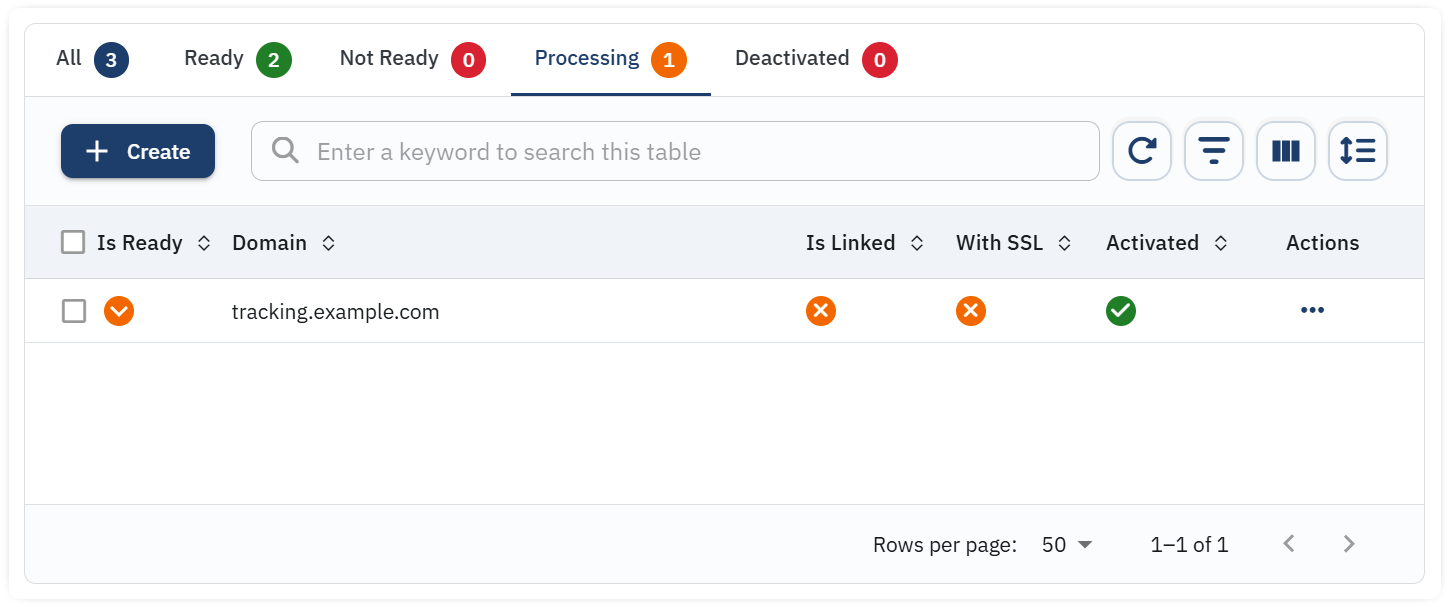
- Navigate to Offer → Integration Settings → Domain Setup tab.
- Click on + Create.
- Define the new domain (example: subdomain.domain.com).
- Copy the generated CNAME records.
- Add those CNAME records to your domain’s DNS Control Panel.
Important: DNS propagation may take up to 30 minutes before the domain becomes fully active and ready to use.
Step 2: Assign the Domain to a Publisher
Once the domain is active inside Integr8, you can assign it to a specific publisher.
- Navigate to the Publishers section.
- Select the publisher you want to assign the domain to.
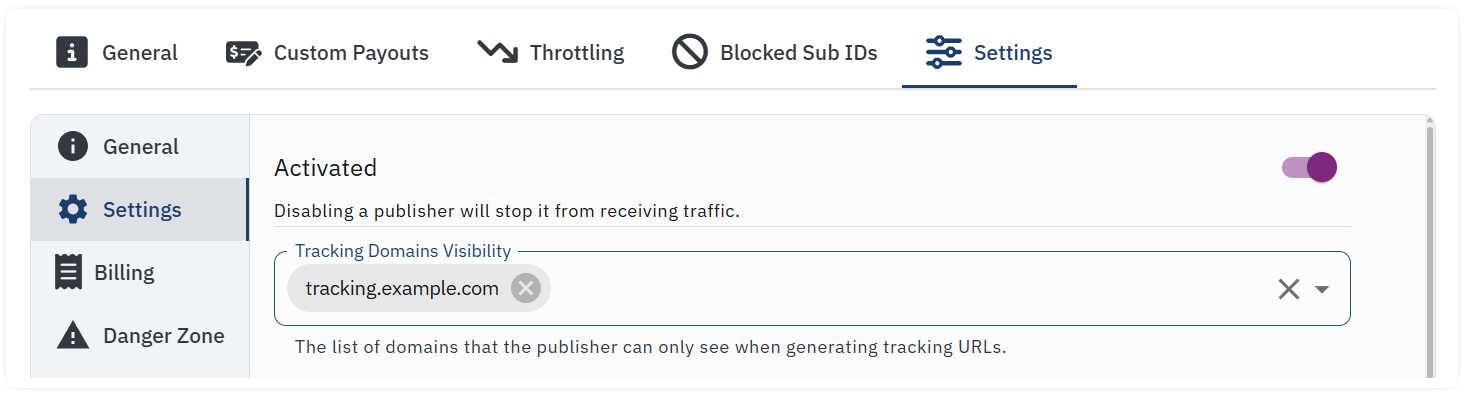
- Open the Settings tab inside the publisher profile.
- Select the domain(s) from the Tracking Domains Visibility dropdown menu.
- Click Save.
Result
The publisher will now be able to generate tracking links exclusively using the assigned custom domain(s).
Other publishers will not have access to those domains unless explicitly assigned.
Best Practice Recommendation
- Assign high-volume publishers their own dedicated domain.
- Avoid sharing domains across unrelated traffic sources.
- Monitor domain reputation regularly.
Using publisher-level custom domains increases deliverability stability and reduces network-wide disruption in case of compliance or spam issues.
