Feature
Link Monitoring for Affiliate Landing Pages
Keep selected offer landing pages under watch. Schedule redirect checks, review uptime and response times, and configure alerts for repeated failures.
Keep your monitored landing pages working.
Test one affiliate link for free, then monitor the offer landing pages you select with scheduled checks, diagnostics, and alerts.
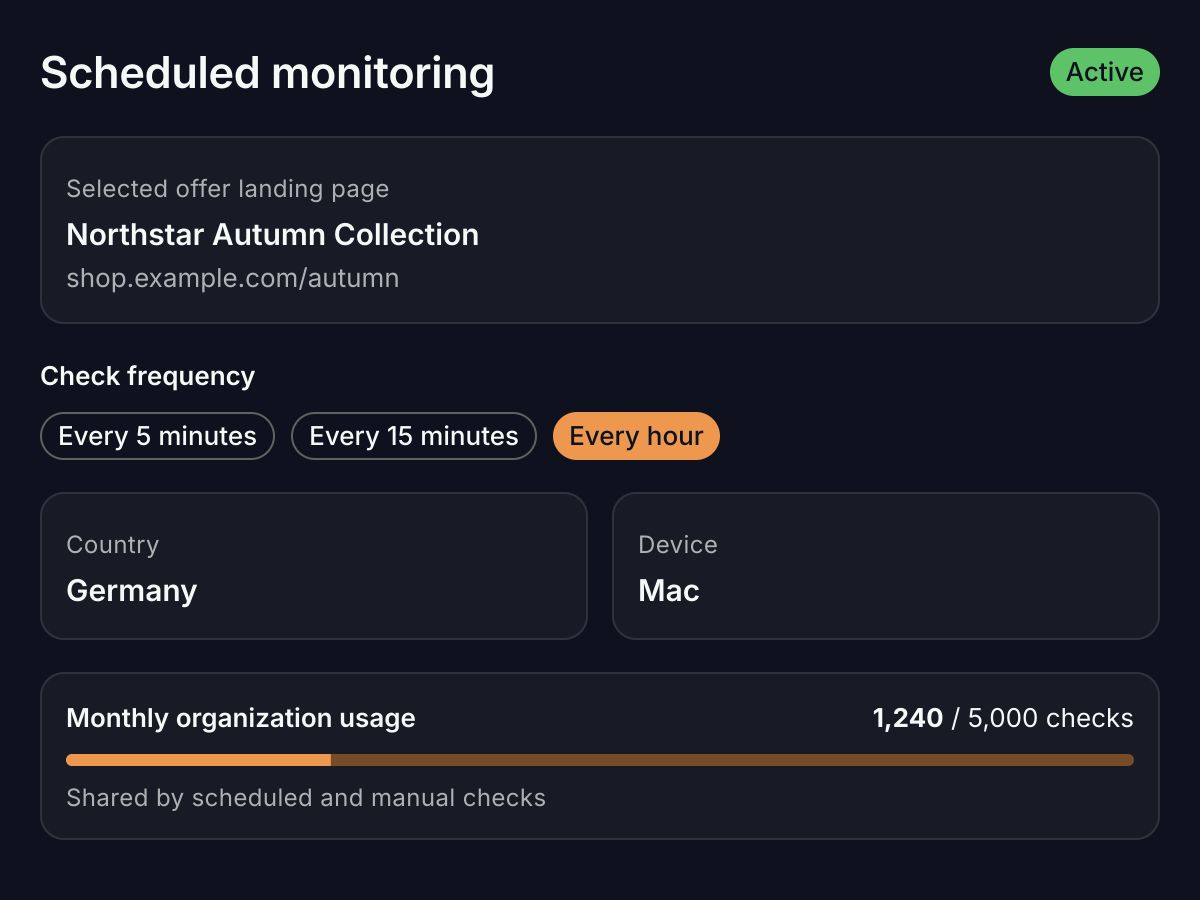
Check the landing pages you choose
Use the free checker for one URL. In Integr8, schedule checks for selected offer landing pages to catch broken redirects and unexpected destinations over time.
- Choose checks every 5 minutes, every 15 minutes, or every hour.
- Use a country and device profile that matches the offer’s targeting.
- Scheduled and manual checks share a 5,000-check monthly organization limit.
See where the redirect path goes wrong
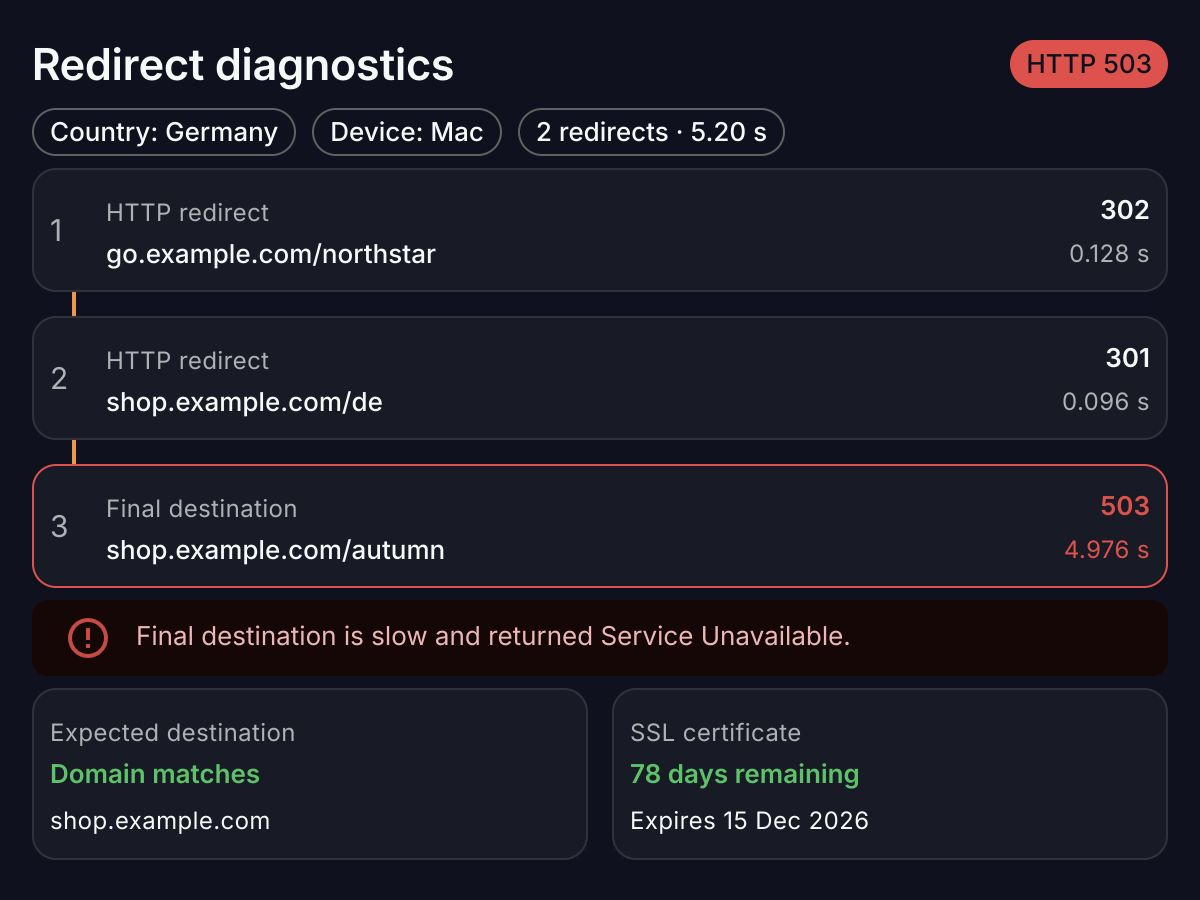
Follow each hop to the final URL, and check where traffic lands from the country and device you select.
- Find broken hops, extra redirects, and slow response times.
- Compare the final domain against expected destinations when configured.
- Inspect country-specific paths and SSL certificate expiry.
Know when a destination needs attention
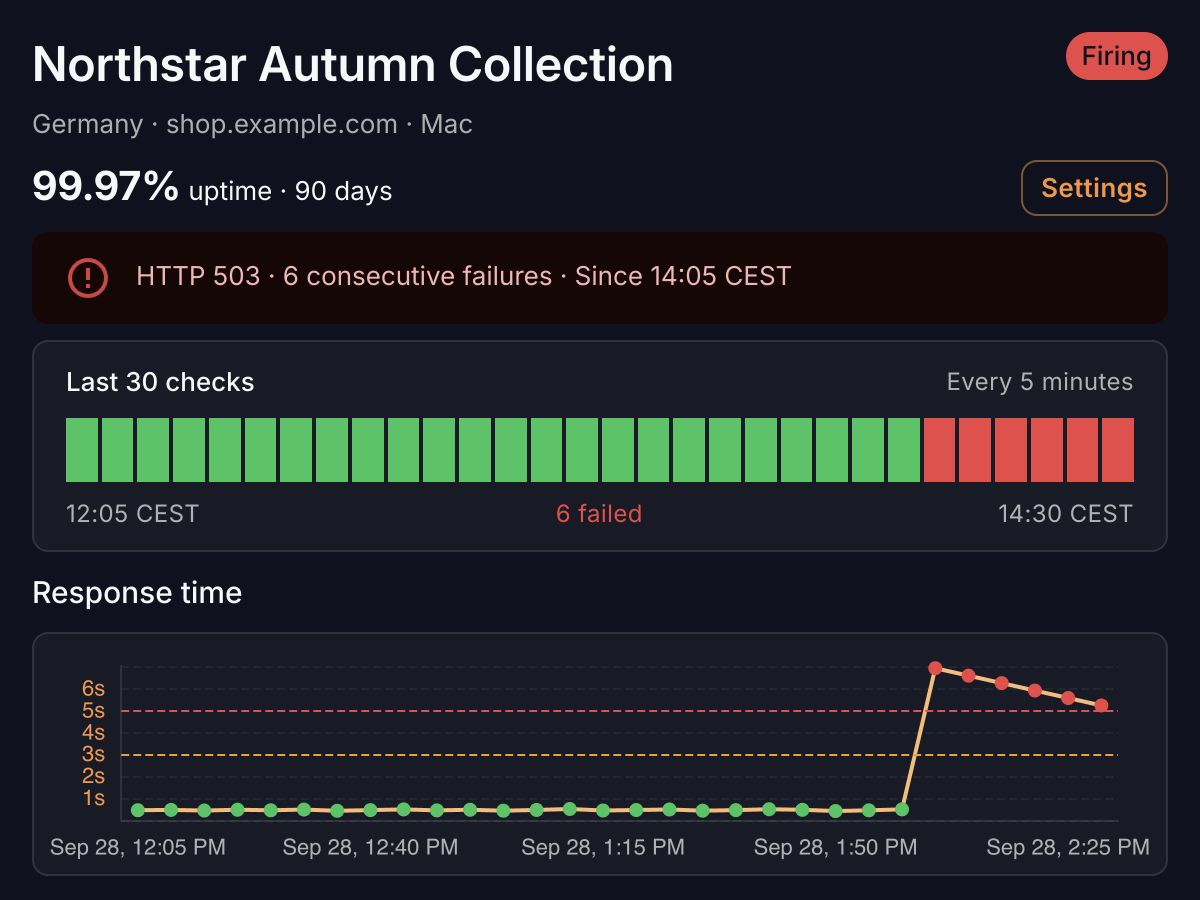
After repeated scheduled failures, Link Monitoring can open an incident and notify your team by email or Slack when recipients are configured.
- Review 90-day uptime, failed-check counts, and P95 latency.
- Trace recent failures with status codes, reasons, and redirect history.
- Run a manual check to confirm a fix; scheduled successes clear incidents.
See Integr8 in action
Track every affiliate click, block fraud in real time and keep your links healthy, all from one platform.
-
Setup guides, API references and best practices to get you live fast.
-
Affiliate marketing insights, product updates and fraud-prevention playbooks.